If
it is your first time accessing the Administration area of your Club website, then you will only see a list of inactive  Registration
Categories that have been shared from the League Hub of your
Networked Solution. You can click the Edit icon
Registration
Categories that have been shared from the League Hub of your
Networked Solution. You can click the Edit icon  to make changes
to the content of the Registration form you require.
to make changes
to the content of the Registration form you require.
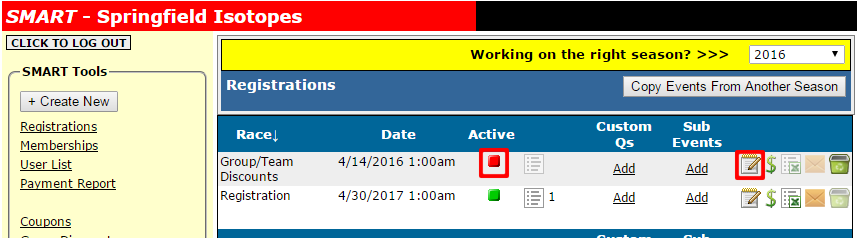
When you activate a Registration Form, you can also edit the form for proper contact information and the confirmation email content that will be sent to each registrant (or parent).
Was this article helpful?
That’s Great!
Thank you for your feedback
Sorry! We couldn't be helpful
Thank you for your feedback
Feedback sent
We appreciate your effort and will try to fix the article