Step 1
Login to the to your Administrator Account of your esportsdesk.com website.
Step 2
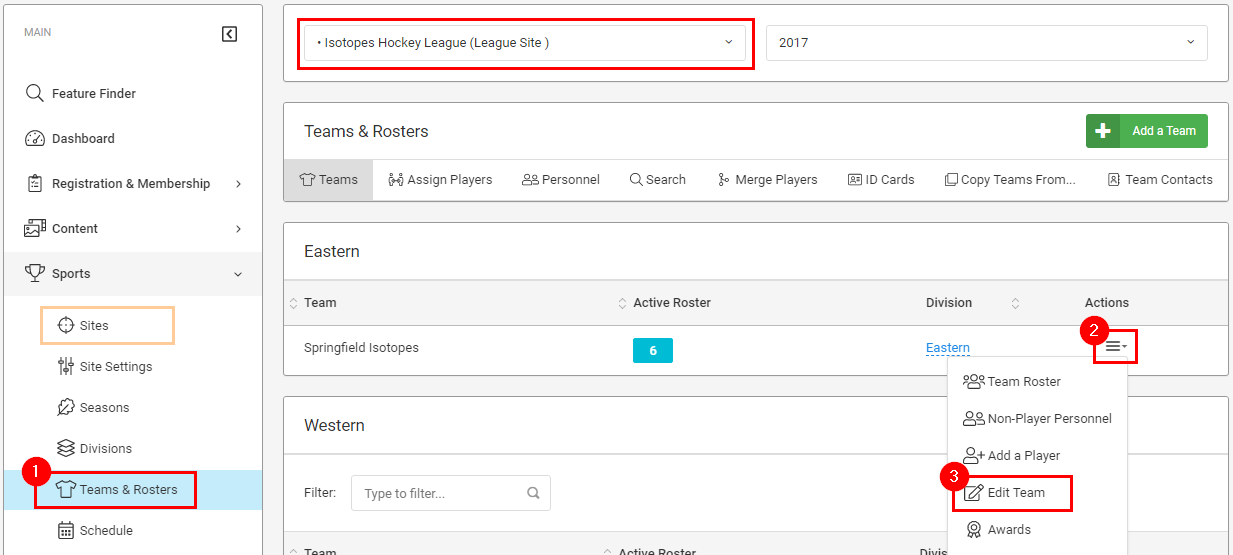
Select the site the team is in from either the drop box at the top of the page, or from the Sites page. Then click Teams & Rosters in the left navigation (depending on your permission level, this link may read only Teams).
Next select Edit Team from the Actions menu for the team you want to edit.
Step 3
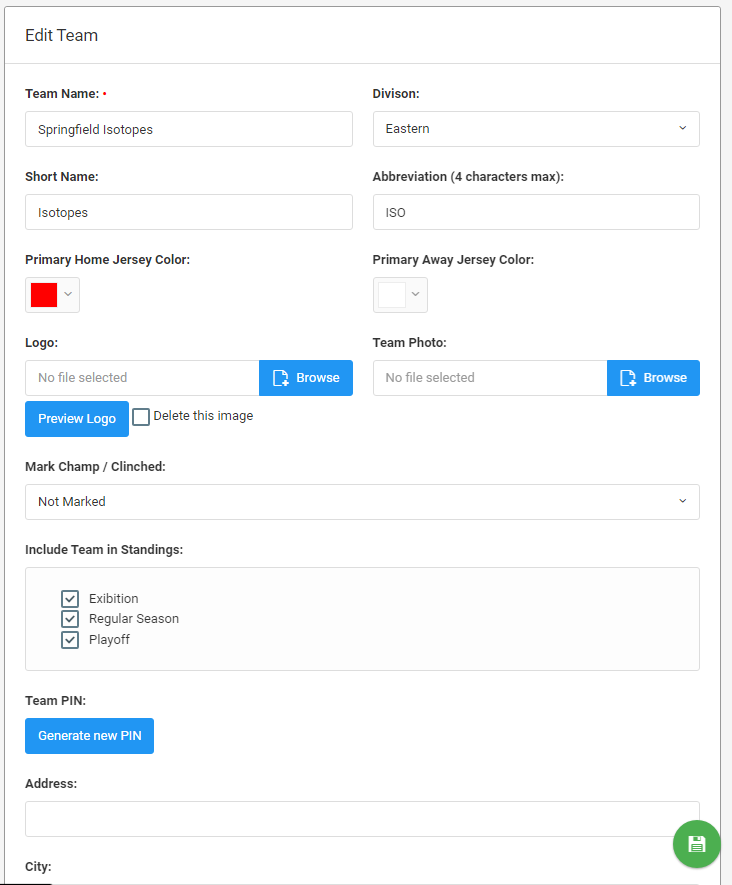
On this page you can edit the team's information. You can change details including adding your team's short team name, setting Home/Away team colours, uploading a team logo, etc. Make your changes and press the blue Save Changes button at the bottom of the form, or the green save disk button in the bottom-right corner of the page.
You can view more information on how to add/edit a team logo by clicking on the link to this article: How to Post/Change Team Logo.
Was this article helpful?
That’s Great!
Thank you for your feedback
Sorry! We couldn't be helpful
Thank you for your feedback
Feedback sent
We appreciate your effort and will try to fix the article