Step 1
First Login to Your Administrator Account
Step 2
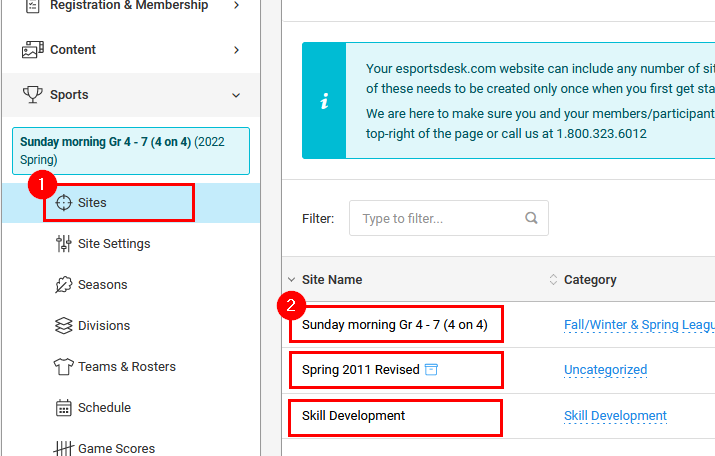
If applicable, pick your site from the Sites page or by selecting it from the drop down list at the top of the page (when available)
Step 3
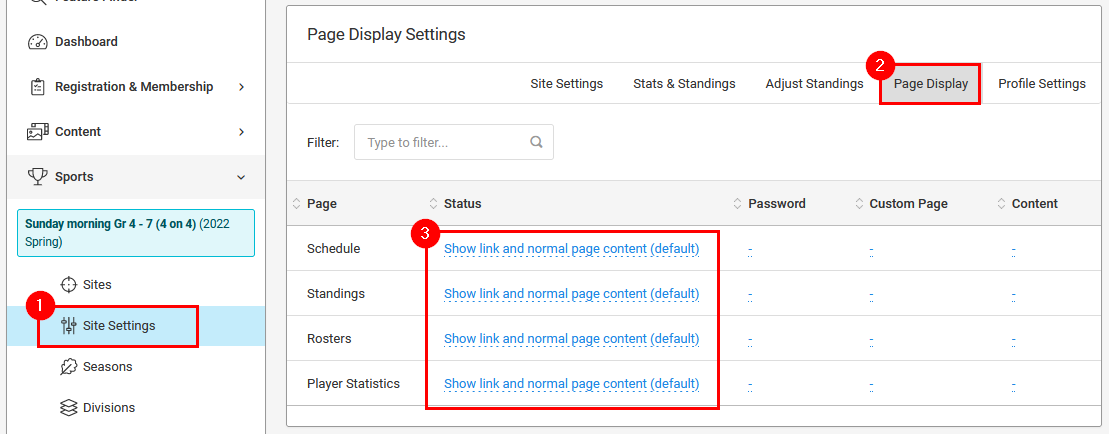
From the Site Settings page, select the Page Display option and then click the blue link in the Status column for the page you want to show or hide
Step 4
In the window which pops-up, select the Status you want for the page, review any other applicable fields and save your changes
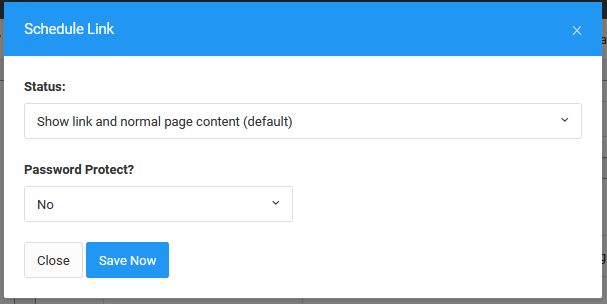
NOTE: Not all website layouts have a left navigation area. If your site does not have this, the option to Remove link from left menu, will have no effect.
Was this article helpful?
That’s Great!
Thank you for your feedback
Sorry! We couldn't be helpful
Thank you for your feedback
Feedback sent
We appreciate your effort and will try to fix the article