
This article will show you how to hide a team from being shown in the standings on the public page.
Step 1
First Login to Your Administrator Account.
Step 2
If applicable, pick the league or tournament site you want to edit from the Sites page in the Sports section of the admin area navigation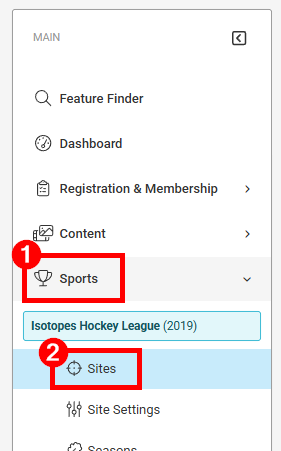
Step 3
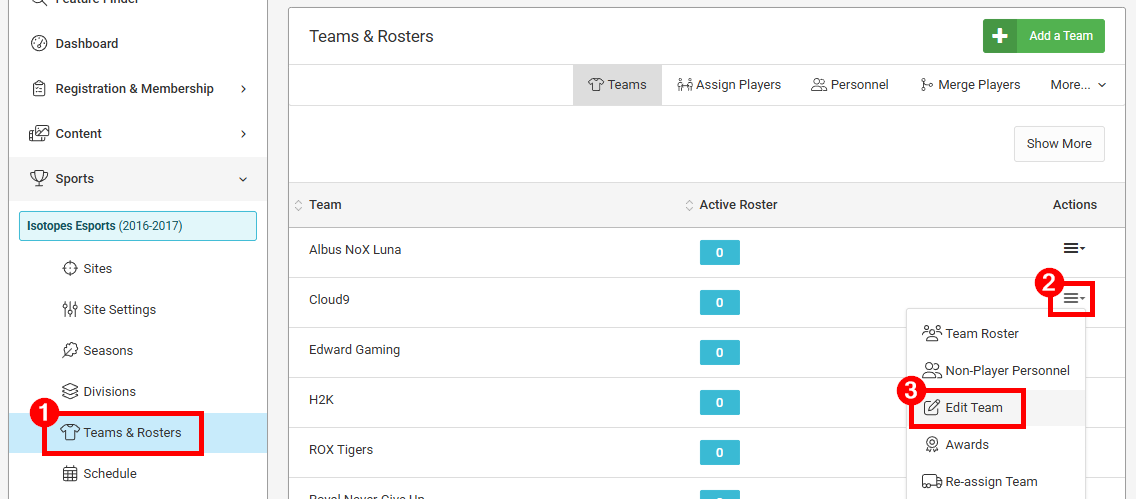
Select Teams & Rosters from the navigation menu and then Edit Team from the Actions menu for the team you want to show or hide:
Step 4
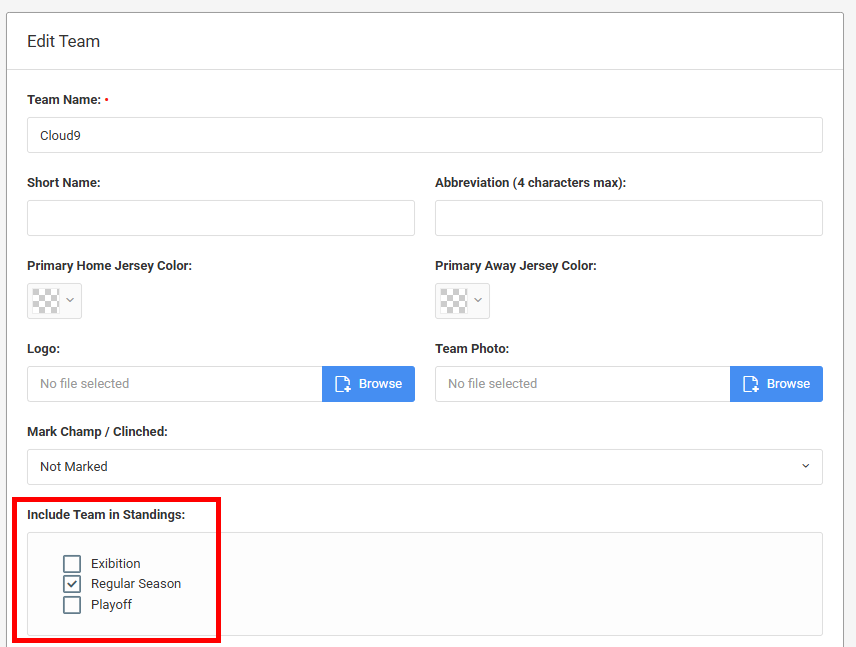
Uncheck the boxes to remove the team from the standings. In this example, this team will be removed from the Playoff and Exhibition standings.
Step 6
Click the Save Changes button at the bottom of the page