Step 1
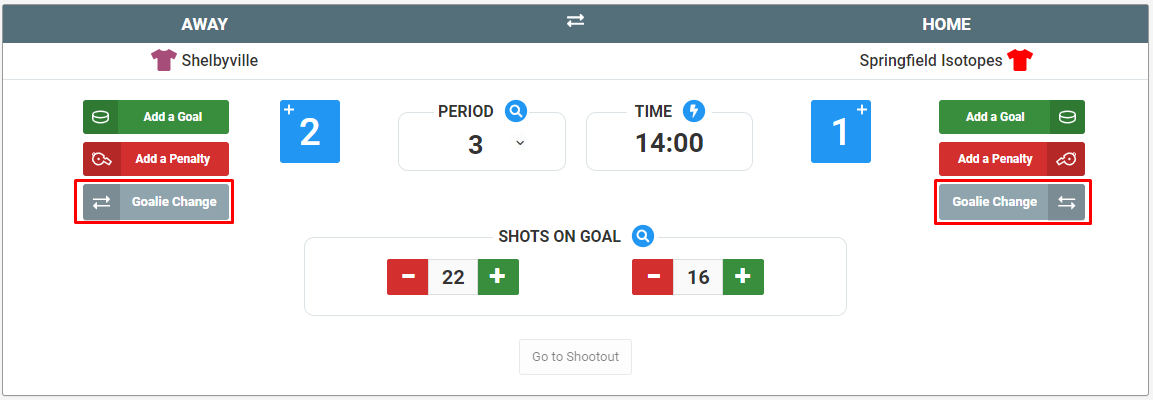
If you need to replace your goalie with another or pull your goalie for an empty net, choose the gray "Goalie Change" button under the corresponding team.
Step 2
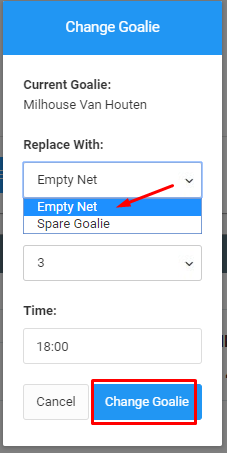
From the drop-down, choose the goalie to replace with and enter the period and time. Click Change Goalie to enter in the event.
Step 3
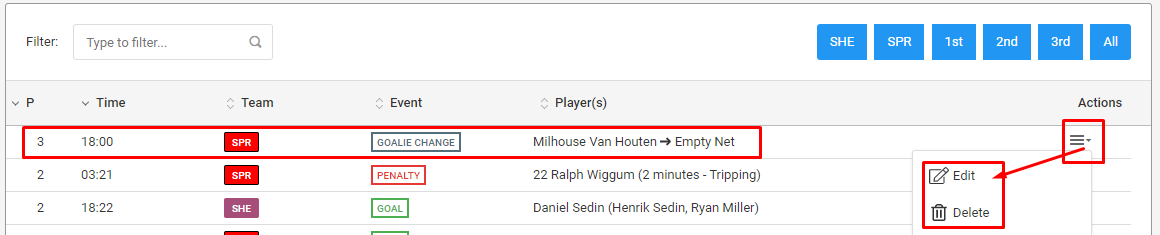
The goalie change will be listed in the events table below. Click on the Actions menu to make any changes as needed.
Was this article helpful?
That’s Great!
Thank you for your feedback
Sorry! We couldn't be helpful
Thank you for your feedback
Feedback sent
We appreciate your effort and will try to fix the article