If your website has a slideshow (available in Plus and Pro packages) follow the below instructions. If there is no "Slideshow" button on the Global Settings page, your website does not have a slideshow. Please contact us to if you'd like to add one.
The Slideshow settings page allows you to control how your site's slideshow works and looks.
Step 1:
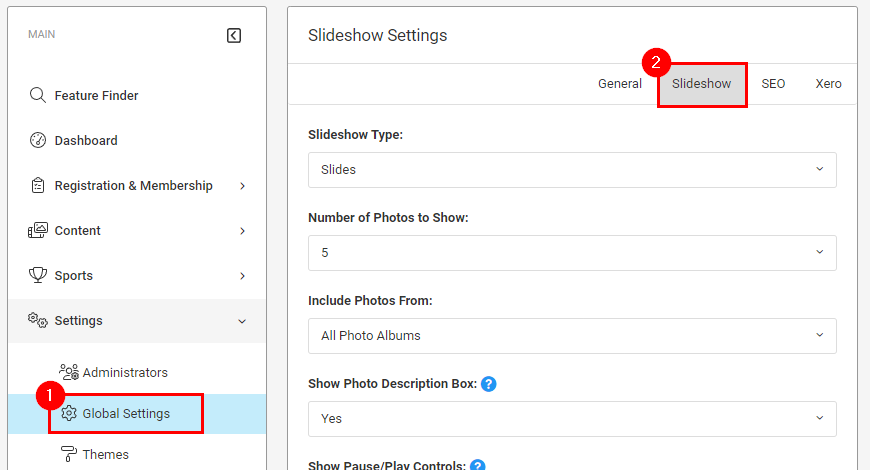
Click Global Settings from the Settings menu in your administrator navigation
Step 2:
Click the Slideshow link in the top-right corner of the page
Step 3:
Make your changes to the settings and then click the blue Save Settings button at the bottom of the page
RELATED ARTICLE:
Photo Slideshow Feature
Was this article helpful?
That’s Great!
Thank you for your feedback
Sorry! We couldn't be helpful
Thank you for your feedback
Feedback sent
We appreciate your effort and will try to fix the article