Before you can start assigning people shifts, you will need to create Jobs,Locations, and Shifts first. Please read the articles listed below first.
RELATED ARTICLES:
Creating Shifts in Volunteer Manager
Assigning Shifts in Volunteer Manager
Step 1
Login to your Administrator account and access the SMART Administration area of your account.
Step 2
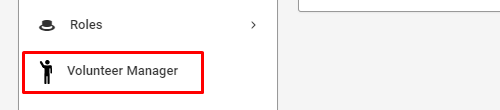
Click on Volunteer Manager on the left navigation menu.
Step 3
On the left navigation menu, click Locations.

Step 4
If you haven't created any Locations yet, you will be given a form to fill out. Fill out the form as indicated. If the Location has specific sites (e.x. arena, field, room, etc.), you can add them in the section provided.
Click Save Changes to save your Location.

Was this article helpful?
That’s Great!
Thank you for your feedback
Sorry! We couldn't be helpful
Thank you for your feedback
Feedback sent
We appreciate your effort and will try to fix the article