The Payment Report tool allows you to retrieve a record of all transactions/registrations made with your organization. It also allows you to process a payment made offline (i.e. in person, cheque, etc.)
RELATED ARTICLES:
Process a Cheque / Money Order Payment to Payment Report Offline
How to Process a Credit Card Payment Manually Offline
Step 1
Login to your Administrator account and access the SMART Administration area of your account.
Step 2
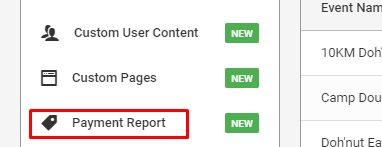
Click Payment Report on the left navigation menu.
Step 3
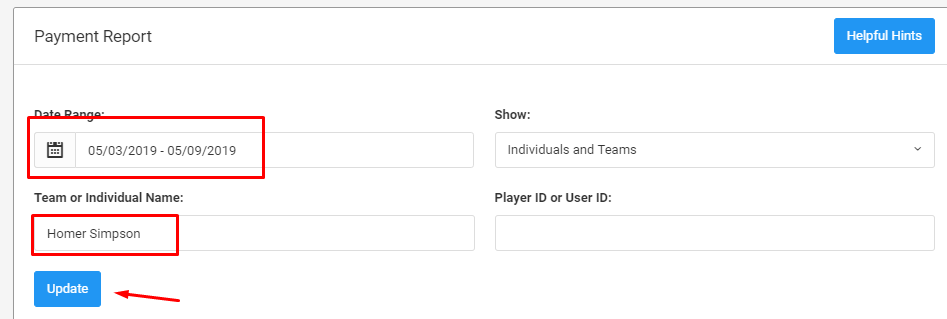
Generate reports for individuals by filtering on a name and dates in the Payment Report area. Press Update to get the Payment Report.
Was this article helpful?
That’s Great!
Thank you for your feedback
Sorry! We couldn't be helpful
Thank you for your feedback
Feedback sent
We appreciate your effort and will try to fix the article