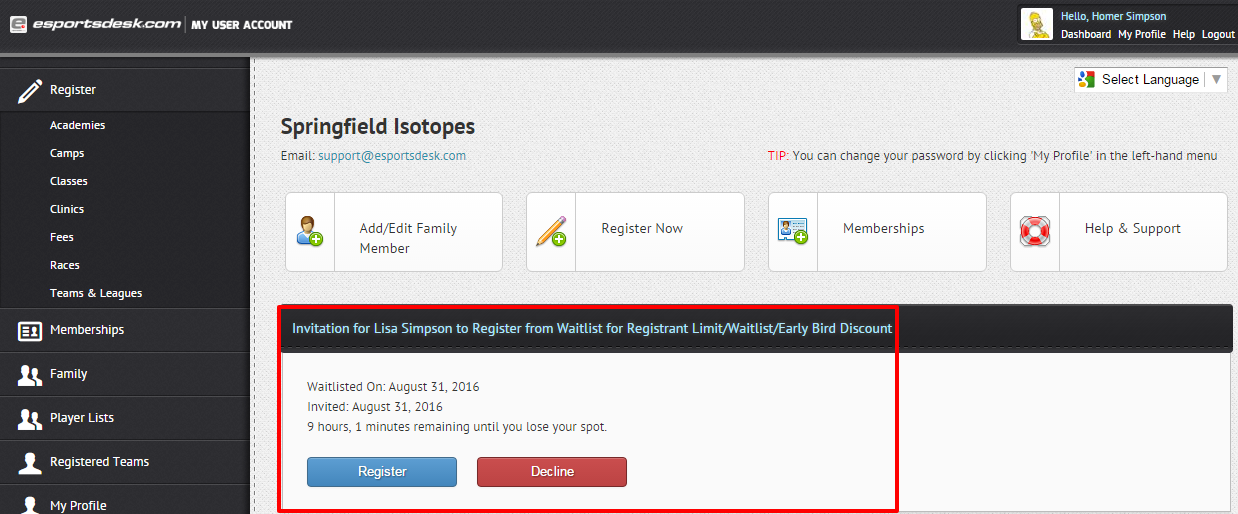
If you have received an invitation from the Waitlist to an event, you will get a notification by email. When you log in, they see a notification to choose to Register or Decline the invitation.
Step 1
Login to your User Account if you already have one, or Create a User Account if you don't already have one.
Step 2
Once you log in, you will see the below invitation. Press Register to accept the invitation.
Was this article helpful?
That’s Great!
Thank you for your feedback
Sorry! We couldn't be helpful
Thank you for your feedback
Feedback sent
We appreciate your effort and will try to fix the article